
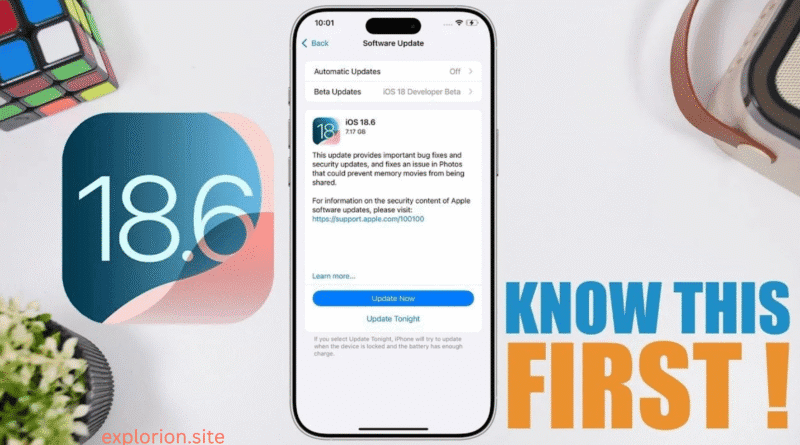
iOS 18.6 Features, Pros, Cons, Installation & Full Review
📱 What Is iOS 18.6?
Released July 29, 2025 (build 22G86), iOS 18.6 is the final minor update for the iOS 18 cycle. Rather than introducing major new tools, it wraps up the operating system with vital bug fixes, security updates, and EU‑specific App Store changes ◆
✨ Key Features & Enhancements
1. Fixes Photos memory‑movie sharing bug
Apple patched a glitch that previously could block sharing of automatically‑generated Memory Movies in the Photos app, resolving a reporting bug users faced ◆
2. Security updates—multiple CVEs patched
Over 20 security vulnerabilities addressed, including issues in Accessibility (e.g., VoiceOver revealing passcodes) and WebKit (crashes, memory corruptions, information leaks) ◆
3. EU App Store changes
In regions like the EU, iOS 18.6 introduces a new interface for installing alternative app marketplaces or sideloaded apps, reflecting regulatory compliance updates ◆
4. Under‑the‑hood stability improvements
Beta reports note smoother animations, reduced stutters, and better battery efficiency. Micro overheats and wallpaper dimming issues appear reduced, though not fully resolved yet ◆
✅ Advantages of iOS 18.6
- Rock‑solid stability: As the final release of iOS 18, Apple sees performance and usability fine-tuned to a mature state.
- Strong security: The update seals multiple critical vulnerabilities—upgrading is wise ◆
- Photos reliability: The memory-sharing bug patch improves trust in the built-in photo software ◆
- Regulatory compliance (EU only): Users in Europe get better sideloading workflows thanks to new Store rules.
- Compatibility: Works well even on devices as old as iPhone XR, iPhone XS, iPhone 11, and iPhone 12 series, with no noticeable performance hit ◆
⚠️ Disadvantages & Limitations
- No major new features: This is a maintenance update—not a feature-rich upgrade. Apple Intelligence, Math Notes, Genmoji, etc., remain in earlier iOS 18.x versions, but no brand-new tools added.
- Lingering minor glitches: Some users still report occasional overheating, backend dimming, or minor UI bugs even after the update ◆
- Limited innovation: Users seeking AI enhancements or interface overhauls may find iOS 18.6 underwhelming.
🧭 Why iOS 18.6 Matters
- Wraps up the iOS 18 lifecycle: It’s Apple’s final polish before transitioning to the next big version, meaning it’s inherently more stable.
- Critical security patching: With over 20 CVEs fixed, ignoring the update could expose your device to known exploits.
- Photo bug resolution ensures data reliability: Fixing the memory-movie sharing bug is especially valuable for users who rely on Memories.
- Regulatory fit in the EU: iOS 18.6 meets new European laws around app distribution, so EU users experience a smoother, updated app ecosystem experience.
🆚 Comparing iOS 18.6 vs iOS 26 Beta
While iOS 18.6 is stable and secure, iOS 26 (currently in beta) represents Apple’s future—but with trade‑offs ◆
- Design: iOS 26 introduces the Liquid Glass interface—translucent, shimmering visuals that react to motion and light, reintroducing skeuomorphic hints. Stunning, but less readable in bright light and taxing on older hardware ◆
- AI & messaging features: iOS 26 brings Genmoji, message‑polling, live translations, voicemail screening and summaries, and smarter Siri/ChatGPT integration. iOS 18.6 offers none of these ◆
- Performance: On newer iPhones (15 Pro/16/16 Pro), iOS 26 runs smoothly, but older devices like iPhone XR or 11 may suffer lag, frame drops, and overheating. iOS 18.6 remains smooth across the board ◆
- Battery life: iOS 26 beta drains faster, especially during heavy tasks; iOS 18.6 tends to preserve battery stability.
- Stability: iOS 26 is a beta—predictable bugs, crashes, and unfinished features are common. iOS 18.6 is release-grade and ready for daily use.
🛠️ How to Install iOS 18.6
- Back up your device to iCloud or via Finder/iTunes.
- Open Settings → General → Software Update.
- When the update appears, tap Download & Install.
- If it doesn’t show immediately, wait a few hours: the rollout can take time regionally ◆
- After installation, your iPhone will restart and finalize the setup.
❓ After Installing—Will Problems Occur?
- Re‑indexing overhead: Like all system updates, iOS may re-index apps and data after install, which can cause temporary battery drain or slowdowns for a day or so.
- Rare bugs persist: Beta testers still note minor wallpaper dimming or overheating issues, but these are low‑impact and rare ◆
- Cannot downgrade: Once you upgrade from iOS 17 or earlier to iOS 18.6, downgrading back isn’t possible—ensure you’re ready to stay.
- Compatibility caveat: Some emergent features in earlier iOS 18 versions (like Apple Intelligence) may still be restricted to newer devices (A17 Pro or later) ◆
🔍 Summary Table
| Aspect | iOS 18.6 (Final Release) | iOS 26 Beta |
|---|---|---|
| New Features | Minor bug fixes only | Major AI tools, messaging overhaul, Liquid Glass UI |
| Security | ~20+ CVEs patched | Updated, but beta-level |
| Stability & Performance | Very stable; smooth on older iPhones | Smooth on modern models; lag on older ones |
| Battery Life | Reliable | Inconsistent, battery-heavy |
| UI Readability | Normal iOS clarity | Liquid Glass may reduce contrast in bright light |
| Device Compatibility | All iPhones supporting iOS 18 | Limitations on older devices |
| Ideal for | Users prioritizing stability and security | Early adopters wanting new features |
✅ Verdict—Should You Install iOS 18.6?
Absolutely, yes.
If you’re still on iOS 18.x, updating to 18.6 keeps your device secure, stable, and compatible. It solves a Photos sharing issue and addresses multiple vulnerabilities. For users who value a seamless, dependable experience—especially on older iPhones—iOS 18.6 is the logical endpoint in the iOS 18 series.
🔮 When to Consider iOS 26 Beta Instead
If you have a newer iPhone (iPhone 15 Pro or later), don’t mind bugs, and you’re eager to try Liquid Glass, Genmoji, smarter messaging, or advanced Siri/ChatGPT integration—you may explore iOS 26 beta. But only do so on a secondary device or after thorough backup, as it’s not optimized for everyday reliability yet.
Final Thoughts
iOS 18.6 represents Apple’s most refined, secure, and stable release for the iOS 18 generation—a smart choice for anyone seeking peace of mind and seamless operation. Meanwhile, iOS 26 promises bold new capabilities for future‑thinking users—but comes with trade‑offs in stability and compatibility. For most users, especially those using older devices or preferring consistency, iOS 18.6 remains the best current version to run.